


Nasa Eclipse Report Instructions

Accounting Report
-
In Nasa Eclipse, go to the Reports tab.
-
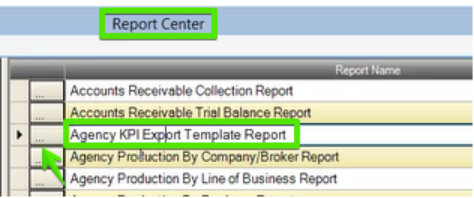
Click the three dots to the left of the “AgencyKPI Export Template Report”
-
In the TYPE dropdown, select Accounting.
-
Add your from / thru dates and select Create.
-
Each month run a 12MM (last 12 months) of production to capture all activity on prior billed dates.
-
A dialog box will appear asking to SAVE the report. Choose a location and save.
Book of Business Report
-
Go to the Reports tab.
-
Click the three dots to the left of the “Agency KPI Export Template Report”
-
In the TYPE dropdown, select Book of Business and create the report.
-
A dialog box will appear asking to Save the Report. Choose a location and save.
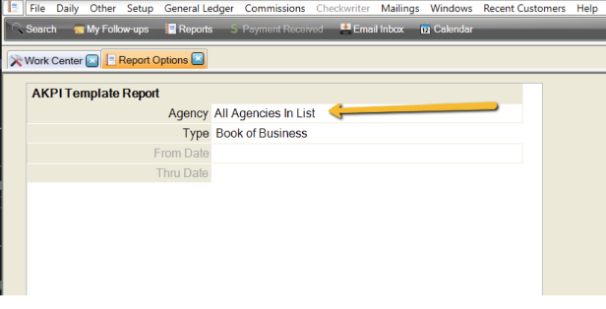
NOTE: For both reports, make sure all the necessary agencies are selected in the Agency Dropdown filter.
Your reports are now ready to submit.
Email all reports to [email protected]

